Rigid Translation
On this page
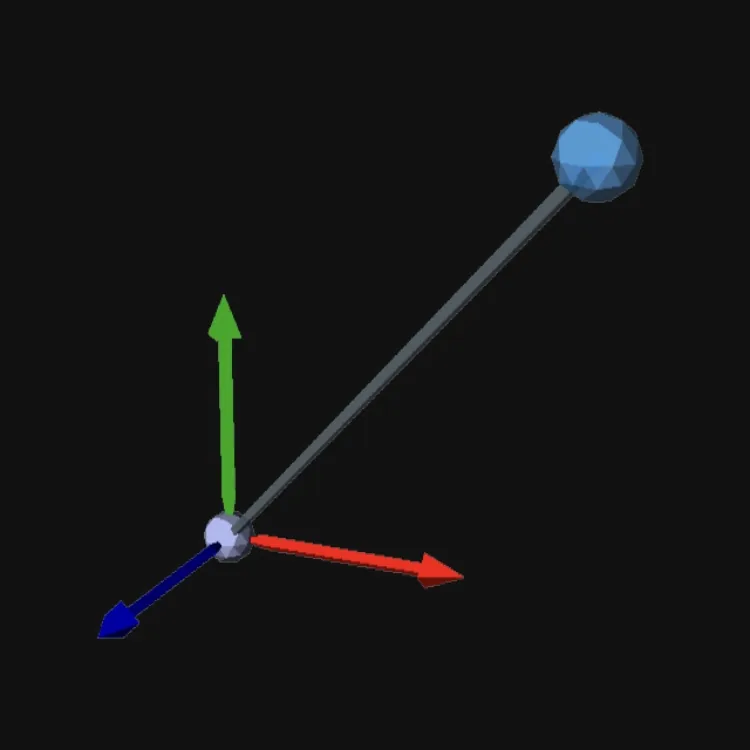
A rigid translation adds a new point at a fixed offset from an existing point. It has no degree of freedom.
Parameters
Units are shown in SI (m, kg, s, N, rad). MOMDYN does not enforce units, so any consistent set works, but angles are always in radians.
| Name | Type | Default | Units | Description |
|---|---|---|---|---|
name | str | None | — | Name given to the rigid translation, default is uppercase characters in alphabetical order (A, B, C, ...) |
ref_point_key | str | 'origin' | — | Start point from which the vector component of the rigid translation is defined |
ref_frame_key | str | 'inertial' | — | Reference frame in which the components of the vector are defined, with basis vectors e_x, e_y, and e_z |
x | numeric | 0 | m | Distance measured in the x-axis of the reference frame |
y | numeric | 0 | m | Distance measured in the y-axis of the reference frame |
z | numeric | 0 | m | Distance measured in the z-axis of the reference frame |
Equations
The offset from the start point A to the new point B:
Sign conventions & notes
It is the Joints-interface equivalent of creating a vector and a point in the Classic interface. In the pendulum tutorial it makes the rod (x = 1 in frame E).
The components x, y and z are measured along the axes of ref_frame_key, and the rigid translation creates the offsets as constants.